Intro to Basic Keying [AE]
Channel: RocketJump Film School
Category: Film & Animation
Tags: chroma keyvfxfilmmakingkeylight toolrocketjump film schoolgreen screenalpha studiosvideo productionfilmmaking tutorialcolor keyhow to keycinemarocketjumpvideo tutorialaeadobeafter effectsfilmrjfsfilm productiontutorialsfilm schoolvisual effectseasy how-tobasickeying
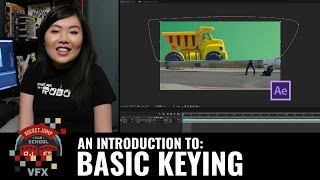
Description: Starting off PART ONE of our VFX basics series, Kaitlyn Yang from Alpha Studios introduces us to the basic tools used for keying out green screens in Adobe After Effects, using our "Budget Bus Flip" as an example. If you'd like to follow along, grab this FREE DOWNLOAD of Kaitlyn's After Effects project file, as well as the footage, here: j.mp/IntroBasicKeying Check out Kaitlyn's channel, Alpha Studios, here! bit.ly/Alpha_Studios alphastudios.com - - - Special thanks to RØDE Microphones! Check them out here: rode.com Special thanks to Vitec Videocom! Check them out here: vitecvideocom.com Questions about our sponsors and how they work? A video on that soon, but we have an open policy and can answer your questions directly on our forums: discuss.rocketjump.com - - - Thanks for watching! More videos at school.rocketjump.com! We're on TWITCH every Thursday at 3PM PST! twitch.tv/rocketjump You can also follow us on Facebook & Twitter: facebook.com/RJFilmSchool twitter.com/rjfilmschool